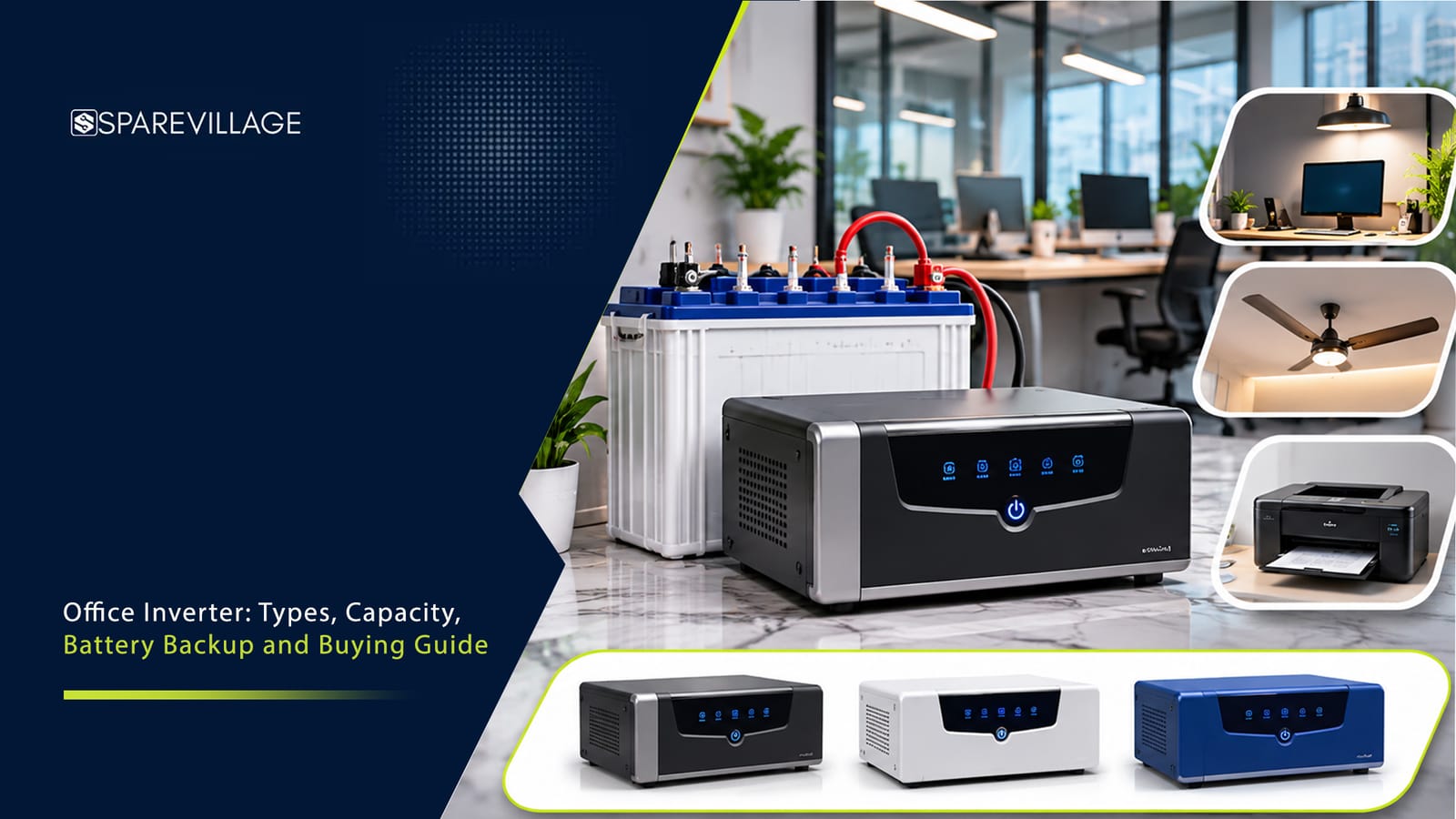
Office Inverter: Types, Capacity, Battery Backup and Buying Guide
Inverter for Office: Compare inverter types, capacity, battery backup and UPS options. Learn how to size a system for your office and choose the right setup.
Article Content
Introduction
Power cuts can interrupt important office activities. Computers may shut down, internet connections may stop working, employees may lose unsaved work, and security systems may become unavailable.
An inverter for office use helps reduce these interruptions by providing backup power to selected electrical equipment. It stores energy in a battery and supplies electricity when the main power supply fails.
However, choosing an office inverter is not just about buying a machine with a higher VA rating. You need to understand how much power your office consumes, which equipment needs backup and how long you want the system to operate.
A small office with a few computers has different power requirements from a large office with multiple workstations, networking equipment and server systems.
This guide explains the types of office inverters, their working, capacity calculation, battery options and backup time. It also covers the difference between an inverter and a UPS to help you select a suitable office power backup system.
What Is an Office Inverter?
An office inverter is an electrical power backup device that converts DC (Direct Current) electricity stored in a battery into AC (Alternating Current) electricity. AC power is used by most office equipment, including computers, lights, fans and networking devices.
When the main electricity supply is available, the inverter system can charge its connected battery. During a power cut, it uses the stored battery energy to supply electricity to connected equipment.
An inverter for office use can support different types of equipment, depending on its capacity and output specifications.
Common office backup requirements include:
Desktop computers and monitors
Laptops and chargers
Wi-Fi routers and network switches
LED lights
Ceiling or table fans
CCTV cameras and recording systems
Selected office equipment
The inverter capacity must be suitable for the combined load of the equipment connected to it.
Difference Between a Home Inverter and an Office Inverter
Both home and office inverters follow the same basic working principle. However, their applications and power requirements can be different.
A small office may use a suitable inverter similar to a residential setup. Larger offices may need a higher-capacity system or a combination of inverters and UPS units.
The correct choice depends on the connected load and required backup duration, not simply whether the product is labelled for home or office use.
How Does an Inverter Work in an Office?
An office inverter system uses a battery to provide backup electricity when the main power supply is interrupted.
The working process has four main stages.
Step 1: Normal Electricity Supply
When electricity is available, the office receives power from the mains. The inverter supplies or manages power according to its design and charges the connected battery.
The battery stores electrical energy for future use.
Step 2: Power Cut Detection
When the main electricity supply fails, the inverter detects the interruption. Its transfer mechanism changes the connected load from the mains supply to inverter output.
The time taken to transfer depends on the inverter's design.
Step 3: DC to AC Conversion
The battery stores energy in DC form. The inverter converts this DC electricity into AC electricity.
The converted power is then supplied to the connected office equipment.
Step 4: Main Supply Returns
When electricity returns, the system switches back to the mains supply according to its design. The inverter then recharges the battery.
The charging time depends on battery capacity, charging current, battery condition and the available power supply.
Main Components Involved in the Working Process
Inverter circuit: Converts battery DC power into AC output.
Battery: Stores electrical energy.
Battery charger: Recharges the battery.
Transfer switch: Changes the power source between mains and inverter output.
Protection system: Helps protect the equipment against supported electrical faults.
These components work together to provide backup power to selected office equipment.
Types of Inverters for Office Use
Different offices have different power requirements. The inverter type should match the connected equipment, battery configuration and expected operating conditions.
Pure Sine Wave Inverter
A pure sine wave inverter produces an AC output waveform that closely follows the shape of normal mains electricity.
It is commonly considered for offices that need backup for computers, networking devices and other electronic equipment.
Key features:
Produces a smooth AC output waveform.
Suitable for many electronic devices when their specifications match.
Can support compatible motors and other electrical loads.
Available in different capacity ratings.
Common applications:
Small and medium offices
Computer workstations
Wi-Fi routers and network equipment
CCTV systems
Compatible office appliances
A pure sine wave output is a useful selection factor, but buyers should also check voltage regulation, frequency, transfer time and the equipment manufacturer's requirements.
Modified Sine Wave Inverter
A modified sine wave inverter produces a stepped AC waveform instead of a smooth sine wave.
It may be suitable for some basic electrical loads, but compatibility can be limited when connecting certain electronic devices and motors.
Important considerations:
Its output waveform is different from a pure sine wave.
Some electronic equipment may not operate correctly.
Certain motors may produce more noise or heat.
Device compatibility must be checked before connection.
For an office with computers, networking equipment and sensitive electronics, a compatible pure sine wave inverter is generally a more suitable option to evaluate.
Single Battery Inverter
A single battery inverter uses one compatible battery to provide backup power.
It may be considered for a small office with limited backup requirements, such as a few lights, fans, a router and selected computers.
Before selecting this setup, check:
Inverter voltage
Battery voltage
Battery capacity in Ah
Total connected load
Required backup time
A single battery setup does not automatically mean that the system will provide short backup. Runtime depends on the battery capacity and connected load.
Dual Battery and Higher-Capacity Inverter
A dual battery inverter setup uses two batteries in a configuration supported by the inverter.
Depending on the design, batteries may be connected in series or parallel.
Series connection: Increases the total voltage while keeping the Ah rating the same.
Parallel connection: Keeps the voltage the same while increasing the total Ah capacity.
For example, two compatible 12V, 150Ah batteries connected in series create a 24V, 150Ah battery bank. Connected in parallel, they create a 12V, 300Ah bank.
The inverter must support the selected voltage and battery configuration.
Higher-capacity battery systems can support greater backup requirements, but the inverter's output capacity must also be suitable for the connected equipment.
Commercial and Three-Phase Inverter Systems
Larger offices and commercial facilities may require higher-capacity backup systems.
Three-phase systems may be used where the electrical infrastructure and connected loads require three-phase power. Their design depends on the office's electrical distribution, equipment and backup requirements.
These systems need proper load assessment, electrical protection and professional installation.
A standard single-phase office inverter should not be assumed to support a three-phase electrical load.
Important Parts of an Office Inverter System
An office inverter system contains several components. Each component has a specific role in storing, converting and supplying electrical power.
Inverter Unit
The inverter unit converts DC power from the battery into AC electricity. Its output capacity determines how much electrical load it can support.
Battery
The battery stores electricity for backup use. Its voltage and Ah capacity affect the amount of energy available during a power cut.
Battery Charger
The charger supplies electricity to recharge the battery when mains power is available. Charging current and battery compatibility are important when selecting an inverter.
Transfer Switch
The transfer switch changes the power source between mains electricity and inverter output. The transfer time depends on the inverter design.
Display and Control Panel
The display panel provides information about the system's operating condition. Depending on the model, it may show:
Battery status
Input and output voltage
Connected load
Charging status
Fault alerts
Overload warnings
Protection Features
Office inverters may include different protection features, depending on the product.
Important features to check include:
Overload protection
Short-circuit protection
Low-battery protection
Over-temperature protection
Overcharge protection
Battery reverse-polarity protection, where supported
These features help protect the inverter and connected equipment under specified operating conditions.
How to Calculate the Right Inverter Capacity for an Office
Inverter capacity is one of the most important factors when selecting an office power backup system.
The capacity should be based on the equipment that needs backup, not simply the number of employees or computers in the office.
Step 1: List the Equipment That Needs Backup
First, identify all the equipment you want to run during a power cut.
For example:
Desktop computers
Computer monitors
Laptops and chargers
Wi-Fi routers
Network switches
LED lights
Fans
CCTV cameras
Printers, if compatible with the system
You do not need to connect every office appliance to the inverter. Identify the essential equipment that must continue operating during an outage.
Step 2: Calculate the Total Power Load
Check the wattage of each device from its product label or official technical specifications.
Then add the wattage of all equipment that may operate at the same time.
Illustrative example:
In this example, the total connected load is 735 watts.
These are illustrative values only. Actual power consumption depends on the model, configuration and operating conditions of each device.
Step 3: Understand VA, Watts and Power Factor
Inverter capacity is commonly mentioned in VA (Volt-Ampere), while electrical equipment usually lists its power consumption in watts.
These two measurements are related but not identical.
Watts (W): Actual electrical power consumed by equipment.
VA: Apparent power supplied by the electrical system.
Power factor: The relationship between watts and VA.
The basic relationship is:
Watts = VA × Power Factor
For example, if an inverter has a rating of 1,000 VA and a power factor of 0.8, its corresponding real power capacity is:
1,000 × 0.8 = 800 W
This means that a 1,000 VA inverter with a 0.8 power factor should not be assumed to support a 1,000 W load.
Always check both the VA rating and the maximum watt output mentioned in the manufacturer's specifications.
Step 4: Add a Suitable Capacity Margin
Do not select an inverter that operates continuously at its maximum rated output.
Allow sufficient capacity for:
Normal operating load
Temporary increases in power demand
Startup requirements of compatible equipment
Planned additions to the office
The manufacturer's recommended operating limits
For the illustrative 735 W load, a system with an output rating comfortably above 735 W should be evaluated.
The final VA rating depends on the inverter's specified output power factor and watt capacity. A qualified electrical professional can confirm the appropriate rating for the actual installation.
How to Calculate Office Inverter Battery Backup Time
Inverter capacity determines how much load the system can support. Battery capacity determines how much energy is stored for backup.
However, a larger battery does not guarantee a particular number of backup hours. Runtime depends on several factors.
What Determines Battery Backup Time?
The main factors include:
Total connected equipment load
Battery voltage
Battery capacity in Ah
Battery type and usable discharge limit
Inverter efficiency
Battery age and condition
Temperature and operating conditions
A higher connected load generally reduces backup time. Battery performance can also decrease as the battery ages.
Understand Battery Voltage and Ah
Battery capacity is commonly mentioned in Ah (Ampere-hour).
For example, a 12V, 150Ah battery has a nominal energy capacity of:
12 × 150 = 1,800 Wh
This represents the battery's nominal stored energy under its rated conditions. It does not mean that all 1,800 Wh will be available for AC equipment.
Usable energy depends on battery chemistry, permitted depth of discharge, inverter efficiency and operating conditions.
Example of Battery Backup Calculation
Consider this illustrative setup:
Battery voltage: 12V
Battery capacity: 150Ah
Connected AC load: 300W
Assumed usable battery discharge: 50%
Assumed inverter efficiency: 85%
Step 1: Calculate nominal battery energy
12 × 150 = 1,800 Wh
Step 2: Calculate usable battery energy
1,800 × 50% = 900 Wh
Step 3: Account for inverter efficiency
900 × 85% = 765 Wh
Step 4: Estimate backup time
765 ÷ 300 = 2.55 hours
The estimated backup time is approximately 2.55 hours.
This is an illustrative calculation, not a guaranteed runtime. Actual backup time may be lower because of battery ageing, discharge behaviour, temperature, load changes and the inverter's operating characteristics.
For a more accurate estimate, use the battery manufacturer's discharge data and the inverter's runtime information.
Which Battery Is Suitable for an Office Inverter?
The battery is an important part of an office power backup system. It determines how much stored energy is available during a power cut.
Different battery types have different maintenance requirements, installation needs and operating characteristics.
Tubular Battery
A tubular battery is a type of lead-acid battery commonly used in inverter applications.
Its design uses tubular positive plates. It is available in different capacities and is often considered for applications that need regular backup.
Important features:
Available in different voltage and capacity ratings.
Requires suitable charging settings.
May need periodic maintenance, depending on its design.
Requires suitable installation and ventilation.
Check the battery's rated capacity, recommended charging current and maintenance instructions before purchasing.
Flat Plate Lead-Acid Battery
Flat plate batteries use flat positive plates and are available in different configurations.
They may be suitable for certain backup applications, depending on their design and rating.
Before selecting one, check whether the battery is intended for inverter or backup use. Also compare its cycle life, charging requirements and maintenance needs.
SMF or VRLA Battery
SMF stands for Sealed Maintenance Free, while VRLA stands for Valve Regulated Lead-Acid.
These batteries use a sealed construction and are commonly considered where reduced routine maintenance is preferred.
Important considerations:
Suitable for compatible backup systems.
Requires the correct charging profile.
Must be installed according to manufacturer instructions.
Battery life depends on temperature, charging and discharge conditions.
Sealed construction does not mean that the battery can be installed anywhere. Follow the manufacturer's ventilation and safety requirements.
Lithium-Ion Battery
Lithium-ion batteries are used in some modern power backup systems.
They can offer a compact design, high usable energy and different charging characteristics compared with lead-acid batteries.
Important features:
Generally lighter than comparable lead-acid systems.
May offer higher usable depth of discharge, depending on chemistry.
Requires a compatible Battery Management System (BMS).
Needs an inverter with compatible charging and communication settings.
Not every inverter supports lithium-ion batteries. Check battery chemistry, voltage range, BMS compatibility and charging specifications before connecting one.
How to Select the Right Office Inverter Battery
Compare these factors before purchasing:
Battery voltage and inverter compatibility.
Required backup time.
Battery capacity in Ah or Wh.
Battery chemistry and cycle life.
Charging current and charging time.
Maintenance requirements.
Available installation space.
Ventilation and safety requirements.
Warranty and replacement availability.
The best battery is the one that matches the inverter and the office's actual backup requirements.
Inverter vs UPS for Office: What Is the Difference?
An inverter and a UPS both provide backup power, but they are designed for different requirements.
An inverter is commonly considered for providing backup to selected office loads for a longer period, depending on its battery configuration.
A UPS (Uninterruptible Power Supply) is designed to provide backup to connected equipment with a transfer and power-protection arrangement suited to its topology.
Types of UPS Systems Used in Offices
UPS systems are available in different designs.
Standby UPS: Normally supplies equipment from the mains and switches to battery power when the input supply fails. It is used for selected basic backup applications.
Line-interactive UPS: Provides backup and voltage regulation within its specified operating range. It is commonly considered for office computers and compatible network equipment.
Online UPS: Uses a double-conversion design in which power is continuously supplied through the rectifier and inverter path. It is considered for critical equipment that needs a high level of power continuity.
The correct UPS depends on the equipment's sensitivity, required runtime and power-quality requirements.
Should an Office Use Both an Inverter and a UPS?
Some offices benefit from using both systems.
For example:
An inverter can support selected lights, fans and general office loads.
A UPS can support computers, servers and critical networking equipment.
This arrangement separates general backup requirements from critical IT protection.
For servers and important IT systems, an appropriately sized online UPS may be more suitable than relying only on a conventional inverter.
What Can You Run on an Office Inverter?
An office inverter can support different equipment, provided the connected load stays within its rated output and the equipment is compatible.
Computers and Monitors
Desktop computers and monitors are common office backup loads. Check their actual power consumption, power factor and compatibility with the inverter output.
For critical computers, consider a suitable UPS if uninterrupted operation is required.
Lights and Fans
LED lights and compatible fans are common loads in office backup systems.
Calculate their combined wattage before connecting them. Also consider the starting requirements of motor-based equipment.
Wi-Fi Routers and Network Equipment
Routers and network switches generally have lower power requirements than many office machines.
Keeping these devices powered can help maintain internet connectivity and internal network communication during an outage.
CCTV and Security Systems
CCTV cameras, recording devices and supporting network equipment may need backup to maintain security monitoring.
Calculate the combined load of cameras, recorders, network switches and other supporting devices.
Printers and Photocopiers
Printers and photocopiers may have high power requirements, especially when their heating elements or motors operate.
A small office inverter may not support these devices. Check the equipment's rated input power and startup requirements before connecting them.
Servers and Critical IT Equipment
Servers and critical network infrastructure need reliable power protection.
A dedicated UPS, often an online UPS for critical systems, may be more suitable. Selection should consider load, transfer time, power quality, redundancy and required runtime.
How to Choose the Best Inverter for Office Use
Selecting an inverter for office use requires more than comparing prices and VA ratings. Follow these steps to identify a suitable system.
Identify the Equipment You Need to Run
Make a list of all essential equipment.
Separate equipment into two groups:
Essential loads: Computers, routers, selected lights and security systems.
Non-essential loads: Equipment that can remain switched off during a power cut.
This helps avoid buying a larger system than required.
Calculate the Total Connected Load
Check the actual wattage of every device and calculate the maximum load that may operate simultaneously.
Do not assume that every device uses the same amount of power throughout the day.
Decide the Required Backup Duration
Consider what you want the office to do during a power cut.
For example:
Short backup to save work and shut down equipment safely.
Longer backup to continue normal office activities.
Backup for selected IT equipment and communication systems.
The required duration directly affects battery capacity.
Select the Right Output Waveform
Check whether the connected equipment requires a pure sine wave output.
For offices with computers and electronic devices, output waveform compatibility is an important factor.
Also check voltage regulation and frequency specifications.
Choose a Compatible Battery
Match the battery voltage, chemistry, capacity and charging requirements with the inverter.
Do not connect a battery simply because its voltage appears suitable. The inverter manufacturer must support the battery type and configuration.
Check Charging Time and Charging Current
The inverter's charging capability affects how quickly the battery recharges after an outage.
If your office experiences frequent power cuts, charging performance becomes especially important.
Compare the inverter's charging current with the battery manufacturer's recommended charging specifications.
Review Protection and Monitoring Features
Check the protection and monitoring features available in the model.
Useful features may include:
Overload protection
Short-circuit protection
Low-battery warning
Over-temperature protection
Battery charging indicators
Fault alerts
Output voltage monitoring
Available features vary by product.
Consider Future Office Expansion
Your office may add more computers, lights, networking equipment or other electrical devices.
If expansion is expected, consider the additional load while selecting the system. Do not operate the inverter beyond its rated capacity.
Check Installation, Warranty and Service Support
Before purchasing, check installation requirements, warranty coverage, service availability and replacement battery options.
Professional installation is particularly important for larger systems and dedicated office electrical circuits.
Inverter for Small Office vs Large Office
A small office and a large office do not need the same power backup setup.
The system should be planned according to connected equipment, backup duration and electrical distribution.
These are general application categories, not fixed inverter capacity recommendations. Actual requirements must be calculated for the equipment being connected.
Centralised vs Individual Power Backup for Offices
Offices can use different backup arrangements depending on their size and equipment.
Centralised Inverter System
A centralised system uses one inverter or backup arrangement to support selected office circuits.
Advantages:
Can support multiple selected loads.
Allows backup to be planned for specific circuits.
Can reduce the need for separate backup units at every workstation.
Considerations:
Requires proper electrical distribution.
Needs suitable wiring and protection.
A fault in the central system may affect all connected loads.
Individual UPS Units
Individual UPS units provide backup to specific computers or workstations.
Advantages:
Backup can be provided separately to each workstation.
Critical devices can have their own protection.
Smaller units may be easier to replace individually.
Considerations:
Multiple units require separate maintenance.
Battery replacement may be needed across several devices.
Each unit must be sized for its connected equipment.
Dedicated UPS for Servers
Servers and critical networking equipment may require a dedicated UPS system.
This helps provide suitable backup and power protection for important IT infrastructure.
The best arrangement depends on the office layout, equipment, maintenance requirements and budget.
Inverter vs Generator: What Is the Difference?
An inverter and a generator provide backup electricity in different ways.
An inverter uses energy stored in a battery and converts DC power into AC power.
A generator produces electricity using an engine powered by fuel, such as diesel or petrol.
Some businesses use both systems. An inverter can provide immediate battery backup, while a generator can support larger loads or longer outages when properly integrated.
The setup must be designed with suitable transfer equipment and electrical protection.
Common Office Inverter Problems and Maintenance Tips
Regular inspection helps keep an office power backup system in suitable working condition.
Battery Not Holding Charge
If the battery does not retain sufficient charge, possible causes include battery ageing, incorrect charging settings, high connected load or battery damage.
Check the battery condition and charging specifications. Replace the battery when recommended by the manufacturer.
Inverter Overload
An overload occurs when the connected load exceeds the inverter's supported output.
Disconnect non-essential equipment and check the total connected load. Do not repeatedly operate the inverter beyond its rated capacity.
Reduced Backup Time
If backup time becomes shorter, possible causes include:
Battery ageing
Increased connected load
Incorrect battery charging
Poor battery condition
High operating temperature
Changes in battery discharge conditions
Check the battery and compare actual load with the original system design.
Inverter Overheating
Overheating may result from poor ventilation, excessive load, dust buildup or unsuitable installation conditions.
Keep the inverter in the location recommended by the manufacturer. Do not block ventilation openings.
Regular Maintenance Checklist
Inspect the inverter for visible damage.
Check battery condition and charging status.
Keep ventilation openings clear.
Inspect cables and connections for damage.
Check the inverter display for fault warnings.
Test backup operation periodically.
Arrange professional inspection when required.
Battery terminal inspection and electrical servicing should be carried out by a qualified person.
Safety Considerations When Installing an Office Inverter
Correct installation is important for safe and reliable operation.
Follow these precautions:
Use a qualified electrician for installation.
Follow the manufacturer's wiring and earthing instructions.
Use compatible batteries and charging equipment.
Keep the system away from moisture and unsuitable heat sources.
Maintain suitable ventilation as required by the battery type.
Avoid overloading inverter output sockets.
Use suitable circuit protection.
Keep batteries and electrical connections away from unauthorised handling.
Follow the manufacturer's battery handling and disposal instructions.
Do not attempt electrical repairs without proper training.
Lead-acid batteries may release gases during charging, depending on their design and operating conditions. Install them in a suitable location with the ventilation specified by the manufacturer.
Never ignore battery swelling, leakage, unusual heating or damaged cables. Stop using the affected equipment and arrange a professional inspection.
Common Mistakes to Avoid When Buying an Office Inverter
Avoid these mistakes when selecting an office power backup system.
Selecting capacity only by the number of computers: Two offices with the same number of computers may have different power requirements. Check the actual wattage of all connected equipment.
Checking VA but ignoring watts: Both ratings matter. Make sure the inverter's maximum watt output is sufficient for the connected load.
Choosing a battery without calculating backup time: Battery capacity should be based on the required runtime and connected load.
Connecting printers without checking power requirements: Printers and photocopiers may have high power demand during operation. Check their specifications first.
Using a conventional inverter for critical servers without checking requirements: Critical IT equipment may need a dedicated UPS with suitable power protection and transfer characteristics.
Ignoring battery compatibility: The inverter and battery must support the same voltage and compatible charging requirements.
Not planning for future expansion: Additional equipment can increase the connected load. Consider expected changes before finalising the system.
Ignoring installation and ventilation: Incorrect installation can affect safety, battery performance and system reliability.
Conclusion:
An office inverter helps maintain power to selected equipment during electricity interruptions. It can support computers, lights, fans, routers and other compatible devices, depending on its capacity and battery configuration.
Before choosing an inverter for office use, calculate the total connected load and decide how long the equipment needs backup. Compare VA and watt ratings, output waveform, battery capacity, charging performance and protection features.
For critical computers, servers and networking equipment, evaluate whether a suitable UPS is required instead of relying only on a conventional inverter.
The right power backup system is not necessarily the one with the highest capacity. It is the one that matches your office's actual load, operating requirements and expected backup duration.
For businesses planning their power backup requirements, SpareVillage is an online B2B marketplace where businesses can explore products and equipment for their operational needs. Compare product specifications and select equipment according to your application. Heavy Duty Vacuum Cleaner: Types, Features, Uses and Industrial Buying Guide
Suggestion for Read:
Marble Cutter Machine: Types, Parts, Uses, Working and Buying Guide
FAQs : 1. Which inverter is best for office use? A pure sine wave inverter is generally a suitable option for offices that need backup power for computers, monitors, routers, lights and other electronic equipment. It produces an AC output waveform that closely follows normal mains electricity. However, the best inverter depends on the total connected load, required backup time and equipment compatibility. For a small office, a suitable single-battery inverter may be sufficient. Medium and large offices may need higher-capacity systems or a centralised power backup setup. Before purchasing, check the inverter's watt rating, VA rating, output waveform, battery compatibility and protection features. 2. How do I calculate the inverter capacity required for an office? To calculate office inverter capacity, first add the wattage of all equipment that needs backup. Then consider the inverter's power factor, startup requirements and additional capacity margin. For example, suppose an office needs backup for: 3 desktop computers: 450W 3 monitors: 90W 2 fans: 140W 4 LED lights: 40W 1 Wi-Fi router: 15W The total connected load is 735W. Now check the inverter's maximum watt output. If an inverter has a power factor of 0.8, a 1,000 VA rating corresponds to 800W of real power capacity. This does not automatically mean that every 1,000 VA inverter can support the same load. Select a model with sufficient output capacity for the calculated load and any relevant startup demand. These example loads are illustrative. Always use the actual equipment ratings when sizing an office inverter. 3. What is the difference between VA and watts in an inverter? Watts measure the actual electrical power consumed by equipment, while VA (Volt-Ampere) measures apparent power. Both ratings are important when selecting an inverter. Their relationship depends on the power factor. Watts = VA × Power Factor For example, an inverter rated at 1,000 VA with a power factor of 0.8 has a corresponding real power capacity of 800W. This is why buyers should not select an inverter by looking at its VA rating alone. Check both the VA rating and maximum watt output in the product specifications. 4. How much battery backup does an office inverter provide? The backup time of an office inverter depends on battery capacity, connected load, battery condition, inverter efficiency and permitted battery discharge. For example, a 12V, 150Ah battery has a nominal energy capacity of 1,800Wh. However, the complete amount is not available for AC equipment because battery discharge limits and inverter losses reduce usable energy. If the office connects more equipment, backup time generally decreases. An older battery may also provide less backup than a new one. To estimate backup time, consider the battery's usable energy and divide it by the connected load. Treat the result as an estimate, not a guaranteed runtime. 5. Which battery is best for an office inverter? The best battery depends on the inverter's compatibility, required backup duration, maintenance preference and budget. Common options include: Tubular lead-acid battery: Commonly used in inverter applications. It may require periodic maintenance, depending on its design. Flat plate lead-acid battery: Available in different capacities. Check whether the model is designed for the intended backup application. SMF or VRLA battery: Has a sealed construction and generally needs less routine maintenance. Lithium-ion battery: Can offer a compact design and higher usable energy, depending on its chemistry and configuration. It requires a compatible inverter and Battery Management System. Before purchasing, compare voltage, Ah capacity, charging requirements, cycle life, maintenance and warranty. Never connect a battery that is not supported by the inverter manufacturer. 6. Is a pure sine wave inverter better for office computers? A pure sine wave inverter is generally a suitable choice for office computers because it produces an AC waveform similar to normal mains electricity. It can be used with compatible computers, monitors, routers and other electronic equipment. However, waveform alone does not guarantee complete protection or uninterrupted operation. Also check the inverter's voltage regulation, frequency, transfer time and output capacity. For critical computers and servers, a suitable UPS may be needed to provide the required power continuity and protection. 7. Can an office inverter run computers, printers and photocopiers together? Yes, an office inverter can run compatible computers, printers and photocopiers together if its output capacity is sufficient for their combined power requirements. However, printers and photocopiers may have high power demand during printing or heating cycles. Their power consumption can be considerably different from their standby consumption. Before connecting them: Check the rated input power of each device. Identify any high startup or operating demand. Calculate the maximum simultaneous load. Check the inverter's watt rating and output compatibility. Confirm that the connected load stays within the manufacturer's limits. A small office inverter may support computers and lights but may not be suitable for a high-power photocopier. 8. What size inverter is required for a small office? The required inverter size for a small office depends on the equipment that needs backup. There is no single capacity that suits every small office. A small workplace may need backup for a few computers, monitors, lights, fans and a router. Another office may also need to operate printers, CCTV systems and additional equipment. Prepare a list of essential devices and calculate their combined wattage. Then compare the result with the inverter's real watt output and VA rating. Also decide how long the equipment should operate during a power cut. This will help determine the required battery capacity. 9. What is the difference between an office inverter and a UPS? An office inverter is generally used to provide battery backup to selected electrical loads. A UPS (Uninterruptible Power Supply) is designed to provide backup and power protection according to its particular design and topology. The main difference is in their intended applications and power-protection characteristics. An inverter may be suitable for lights, fans and compatible general office equipment. A UPS is commonly considered for computers, servers and networking equipment that need a suitable transfer time and power protection. UPS systems include standby, line-interactive and online designs. An online UPS uses a double-conversion arrangement and is often considered for critical IT equipment. Some offices use an inverter for general loads and a dedicated UPS for computers or servers. 10. Which UPS is suitable for office computers and servers? The suitable UPS depends on the importance of the equipment, required backup time and power-quality requirements. A standby or line-interactive UPS may be suitable for selected desktop computers and basic office equipment. A line-interactive model can also provide voltage regulation within its specified operating range. For critical servers and important IT infrastructure, an online UPS is often considered because it continuously supplies equipment through its inverter path. Before purchasing, calculate the connected load and check the UPS's watt rating, VA rating, runtime, battery configuration and transfer characteristics. For server systems, also consider redundancy and safe shutdown requirements. 11. Can an office inverter run a Wi-Fi router and CCTV cameras? Yes, a compatible office inverter can support Wi-Fi routers, network switches, CCTV cameras and recording equipment if their combined load is within the inverter's rated output. These devices are important for office communication, internet access and security monitoring. When calculating the required capacity, include the power consumption of all connected devices. Do not count only the cameras. Include the network switch, recording unit and other supporting equipment as well. For critical security systems, consider the required backup duration and whether a dedicated UPS or backup arrangement is more suitable. 12. What is the difference between a single-battery and dual-battery inverter? A single-battery inverter uses one compatible battery, while a dual-battery setup uses two batteries in a configuration supported by the inverter. The main difference is the battery bank arrangement and its total voltage or capacity. For example, two compatible 12V, 150Ah batteries connected in series create a 24V, 150Ah battery bank. When connected in parallel, they create a 12V, 300Ah battery bank. A series connection increases voltage, while a parallel connection increases Ah capacity. The inverter must support the selected configuration. A dual-battery setup does not automatically double backup time in every installation. Runtime depends on the final battery configuration, connected load and usable battery energy. 13. How long does an office inverter battery take to charge? The charging time depends on battery capacity, battery condition, inverter charging current and the amount of energy used during the previous power cut. A larger battery generally needs more time to charge than a smaller battery when the charging current remains the same. For example, a battery that has been deeply discharged will normally need more charging time than one that has used only a small part of its stored energy. Check the battery manufacturer's recommended charging current and the inverter's charging specifications. Do not use an incompatible charger or increase charging settings beyond the recommended limits. 14. Can I use a lithium-ion battery with an office inverter? Yes, a lithium-ion battery can be used with an office inverter if the inverter specifically supports that battery chemistry and configuration. Compatibility involves more than matching the voltage. The inverter must support the battery's voltage range, charging profile and Battery Management System (BMS), where required. Before purchasing, check: Supported battery chemistry Nominal and operating voltage Charging current and voltage BMS compatibility Battery communication requirements Manufacturer-approved configuration Do not connect a lithium-ion battery to a conventional inverter unless the manufacturer confirms compatibility. 15. Can an office inverter run a server or server room? An office inverter may support some server equipment if its output capacity, power quality and transfer characteristics meet the server's requirements. However, a conventional inverter should not automatically be used as the only backup system for critical servers. Servers, storage devices and networking systems may need continuous power and protection against electrical disturbances. A dedicated UPS, often an online UPS for critical IT infrastructure, is generally worth evaluating. The system should be sized according to the actual load, required runtime and safe shutdown requirements. For larger server rooms, professional backup system design is important. 16. What is the difference between a centralized and individual office power backup system? A centralised power backup system uses one inverter or backup arrangement to supply selected office electrical circuits. An individual backup system uses separate UPS or inverter units for specific workstations or equipment. A centralised system can support multiple selected loads through planned electrical distribution. It may be suitable for offices that want to manage backup from one location. Individual UPS units allow separate backup for computers and other critical devices. However, multiple units require separate monitoring and battery maintenance. The right arrangement depends on office size, electrical layout, equipment requirements and maintenance needs. 17. Can an office inverter be used with a generator? Yes, an inverter and generator can be used together in a properly designed power backup system. The inverter can provide battery-based backup during a power interruption. A compatible generator can provide electricity during longer outages and may also support battery charging, depending on the system design. However, the generator, inverter, battery charger and transfer equipment must be compatible. Incorrect connections can create electrical safety risks or damage equipment. Use a qualified electrician to design and install the arrangement. Follow the manufacturers' wiring and operating instructions. 18. Why does an office inverter provide less backup time than expected? An office inverter may provide less backup time because of increased connected load, battery ageing, incomplete charging, incorrect battery sizing or reduced battery performance. Common reasons include: More computers or equipment connected than originally planned. Battery capacity has reduced with age. The battery is not fully charged. The inverter has lower efficiency under the actual operating conditions. The battery's permitted discharge limit reduces usable energy. High temperature affects battery performance. Check the connected load and battery condition. Compare the actual battery configuration with the original backup calculation. A qualified technician can test the battery and charging system if the problem continues. 19. What safety precautions should be followed when installing an office inverter? An office inverter should be installed by a qualified electrician according to the manufacturer's instructions. Important safety precautions include: Use compatible inverter and battery models. Follow correct wiring and earthing requirements. Install suitable circuit protection. Keep ventilation openings clear. Place batteries in a suitable location with the ventilation required for their type. Keep the system away from moisture and unsuitable heat sources. Avoid overloading inverter output sockets. Inspect cables and connections for damage. Follow safe battery handling and disposal procedures. Lead-acid batteries may release gases during charging, depending on their design and operating conditions. Follow the manufacturer's ventilation and installation requirements. 20. Where can I buy an office inverter and battery online in India? You can explore power backup equipment through SpareVillage, an online B2B marketplace for business and industrial requirements. Before selecting a product, compare its VA rating, watt output, battery compatibility, charging specifications, protection features and warranty details. If you need an inverter with a battery, check whether the product listing includes the battery or whether it needs to be purchased separately. You can also compare the available product specifications to identify equipment suitable for your office's connected load and backup requirements. Always confirm the technical details before placing an order.